Dive+ : Diving Community
- 4.5
- Rating
- 100.00K
- Installs
- Free
- Price

 Analysis by App-foxy
When I decide whether a diving app is worth keeping, I look beyond its feature list: will it help me remember a dive accurately, make useful use of the photographs I already take, and still feel worthwhile when I am not on a trip? Dive+ brings those needs together in a way that suits recreational diving, though it is not the right tool for every kind of diver.
I came away from Dive+ thinking of it less as a simple sports utility and more as a meeting point for divers who want to keep their underwater experiences organized and easier to share. Its focus is clear: dive logs, underwater photo correction, and a community built around diving. That combination makes it appealing to recreational divers who want one place for memories, notes, and conversation rather than a standalone logbook that feels like a spreadsheet.
My overall view is positive, with one important qualification: this is most useful when you enjoy the social and visual sides of diving. If you only need a highly structured technical record for every dive, a dedicated logbook may suit you better. But if you want to remember where you went, improve the look of underwater images, and browse what other divers are doing, this app has a more enjoyable personality than many traditional alternatives.
You May Also Like

 Blood Strike: 2.5 Anniversary
Blood Strike’s Loadouts Turn Every Drop Into a Tactical Gamble
A close look at Blood Strike’s custom loadouts: how fast access to signature weapons reshapes its battle royale rhythm, rewards preparation, and narrows the gap between fights.

 Pandora - Music & Podcasts
Pandora’s Music Is Easy to Start, but Harder to Recover
Pandora’s strength is its low-effort path from a seed to a station. Its weak spot is how much confidence it asks you to place in connection, setup, and quiet recovery.

 8 Ball Pool
 Is Built on Rivalries, Rematches, and Routine
A close look at the rivalries, rematches, shared routines, and unanswered safety questions that turn a quick pool match into a persistent mobile community.

 Samsung Music
’s Quiet Strength Is Playing What You Already Own
Its reach comes less from spectacle than from dependable access to a personal library. That simplicity is both the app’s strongest retention engine and its ceiling.

 AccuWeather: Weather Radar
AccuWeather Review: A Quick, Clear Forecast for Everyday Decisions
For everyday plans, the best forecast is the one you can understand quickly. AccuWeather makes rain timing, radar, and local conditions easy to act on, with a few trade-offs.

 Hill Climb Racing
Why Hill Climb Racing Still Turns Crashes Into One More Run
A tiny car, a bumpy hill and one more upgrade: Hill Climb Racing keeps resurfacing because its simple chaos makes every near-miss feel personal.
More From Our News Desk



What makes the app useful beyond a basic dive log
The first thing I noticed is how naturally its main functions fit together. A dive is not just a depth and a duration for most people. It is also the reef, the visibility, the marine life, the people you met, and the photographs you took. Dive+ is designed around that broader idea, so the log is connected to the visual and community aspects instead of treating them as separate activities.
The color-correction feature is particularly practical for anyone who takes photographs underwater. Water absorbs light and changes the appearance of colors, so an image that looked vivid while diving can appear flat or strongly blue afterward. Having correction tools in the same app as the dive record reduces the friction between taking a picture and preserving the memory properly. I would still treat the result as an editing aid rather than a replacement for careful photography, but it is a useful step before sharing images.
A good workflow is to make a rough note soon after surfacing, while details are still fresh, and then return later to refine the entry and edit the images. That approach is more reliable than trying to reconstruct an entire dive weeks afterward. The app becomes more valuable over time because each entry can represent both the practical outing and the story around it.
Another strength is the community angle. Browsing other divers’ experiences can help when I am looking for inspiration, learning how people present underwater scenes, or simply wanting to stay connected to the activity between trips. It gives the app a sense of continuity that a private notes app does not have. A conventional logbook may record more efficiently, but it usually does not encourage the same kind of visual exchange.
The app comes from Life Plus Tech (Shenzhen) Co., Ltd., and it sits in the sports category. It is free to install, which makes it easy to try without committing money first. The store shows a 4.5 average from around ten thousand ratings and more than one hundred thousand installs, so it has attracted a meaningful audience without being so crowded that the community feels impossible to follow.
A practical routine after a day in the water
Imagine finishing a morning of shore diving with a phone full of blue-tinted photographs and a few half-remembered details. I would use Dive+ in stages: first record the essential information before leaving the site, then select the photographs worth keeping, and finally apply color correction when I have time to compare the results. The important benefit is not speed alone; it is reducing the chance that useful details and visual memories become disconnected.
For frequent divers, this habit can turn scattered outings into a personal archive. Instead of relying on a camera roll with vague filenames, each group of images can be associated with the dive that produced them. That makes the collection easier to revisit when planning another trip or showing someone what a particular location was like.
There is also a subtle advantage to editing before sharing. Underwater photographs often need more than a quick filter, and an image with restored color can communicate the scene more honestly. I would compare the corrected version with the original rather than accepting every adjustment automatically. Overcorrection can make water, coral, and marine animals look unnatural, especially when the original shot was taken in difficult visibility.
Where it compares well with ordinary alternatives
The usual alternatives fall into two groups: a private notes or spreadsheet setup, and a specialized dive-log application built primarily for structured records. A notes app is flexible, but it requires manual organization and does not naturally connect photographs, editing, and a diving audience. A spreadsheet can be precise, yet it tends to make the hobby feel like administration.
A dedicated technical logbook can be the better choice for divers who care most about consistent fields, equipment tracking, and detailed planning. Dive+ is more attractive when the emotional and visual parts of the experience matter just as much as the numbers. I see it as a companion for documenting and sharing dives, not automatically as the definitive replacement for every serious logging system.
That distinction matters for beginners. Someone taking an introductory course may appreciate the friendly presentation and the ability to keep memories in one place, but should not confuse a community app with formal instruction or professional guidance. The app can support personal organization; it cannot substitute for training, supervision, or responsible decisions about conditions and equipment.
Small habits that make the experience better
One useful habit is to keep text notes specific rather than decorative. “Great dive” will mean little later, while a short reminder about visibility, notable marine life, entry conditions, or what you would change next time can make the log genuinely useful. I would write the practical detail first and add the personal impression afterward.
A second tip is to use color correction selectively. Not every photograph needs the same treatment, and a whole batch edited with identical settings may produce uneven results. Compare images from different depths and lighting conditions individually. The strongest benefit comes from treating correction as a way to recover atmosphere and detail, not as a button that guarantees professional-looking photographs.
A third trade-off concerns sharing. Community features can make diving feel more social, but public presentation may encourage users to focus on attractive images rather than complete records. I would keep the log useful for myself even when an entry is also intended for other people. The private value should come before the performance of posting.
Keeping a useful record without turning it into a chore
For a diver who only gets into the water occasionally, the best routine may be deliberately modest. I would capture a few details that will matter later—what stood out, what conditions felt like, and which images deserve editing—rather than trying to write a full narrative every time. A short, consistent entry is easier to maintain than an ambitious template that gets abandoned after a busy trip.
On a group holiday, I would also make a point of writing down my own observations rather than relying on someone else’s memory or a shared set of photographs. People can experience the same dive differently, and a note about what I personally noticed makes the archive more useful when I look back. This is where a community-oriented app can still serve a private purpose: sharing is optional, but a record should remain meaningful to its owner.
One practical question is whether to edit every image or only a small selection. I would start with the strongest frames and leave the rest alone until there is a reason to revisit them. That keeps photo work from taking over the logging habit, and it makes comparisons more manageable. The app is most compelling when editing supports the dive record instead of becoming a separate backlog.
Limitations, audience fit, and my final recommendation
I’d use this closing section to weigh the app’s social and photo-focused strengths against the extra effort of maintaining a useful log. The key decision is whether you want a record that feels like a visual diary, or a more technical system built around structured dive details; that distinction makes it easier to judge whether its trade-offs suit your habits.
The meaningful weaknesses to consider
The same combination that makes Dive+ engaging can also make it feel less focused. If I open it wanting only a fast, highly structured record, the community and photography elements may seem like extra layers. Divers who already have a meticulous system may not want to move their established archive into a more social environment.
The editing tools are helpful, but expectations should remain realistic. Color correction cannot recover information that was never captured, and it cannot fully solve poor focus, heavy backscatter, or severe exposure problems. The feature is best understood as a convenient improvement for ordinary underwater images, not a complete photo-editing workstation.
There is also a difference between an app being easy to start and being ideal for long-term technical documentation. New users can begin with simple entries, but experienced divers may want a level of detail that requires more deliberate input. I would decide in advance what information matters to me and create a consistent routine rather than expecting the app to organize every aspect automatically.
The free entry point is welcome, although the app includes in-app purchases ranging from ninety-nine cents to thirty-nine dollars and ninety-nine cents per item. That does not make the initial download costly, but it does mean I would check what is included before building my entire workflow around optional extras. Anyone managing a tight budget should be comfortable with the free experience first and treat purchases as a separate decision.
The content rating is Teen, which is worth keeping in mind for families. Diving itself can involve mature practical responsibilities, and the social nature of a community app means parents may want to consider how a younger user will interact with shared content. I would not present it as a children’s app simply because the subject is recreational.
Who should install it, and who should choose something else
I think Dive+ is a strong fit for recreational divers, underwater photographers, travelers who want a visual record of trips, and beginners who prefer a welcoming way to build a habit of logging. It is especially appealing if you enjoy looking at other people’s underwater images and want your own records to feel more personal than a checklist.
It is less suitable for someone seeking only decompression planning, equipment inventory, or a rigid technical database. In that situation, a specialized dive computer companion or structured logbook may be a better primary tool. I would also recommend another option to a diver who dislikes social feeds or has no interest in editing photographs; the app’s central appeal would simply be less relevant.
The current version is 3.6.23 and supports Android 5.0 or later, so it remains accessible on older Android devices. That is useful for people who keep a secondary phone for travel or do not upgrade frequently. Still, the quality of the experience will depend on the device, the photographs being edited, and how much time the user is willing to spend maintaining entries.
For me, the best way to use it is alongside sensible diving habits, not as a substitute for them. I would log the outing after the dive, edit only the photographs worth preserving, and use the community for inspiration rather than treating popular images as a guide to safety or skill. That keeps the app in its proper role: a record, creative tool, and social space.
My verdict
I recommend Dive+ to divers who want their logs to include atmosphere, photographs, and connection with other people. Its biggest strength is the way those elements reinforce one another: a dive becomes easier to remember, images become easier to improve, and the archive feels more alive than a plain list of entries.
I would not call it the perfect all-purpose logbook. Technical divers and highly organized users may prefer a more specialized system, while people uninterested in underwater photography may find part of its appeal unnecessary. Those are meaningful limitations, not deal-breakers.
For the right audience, though, the free starting point makes the decision straightforward. I would install it before a trip, establish a simple logging routine, and judge it after recording several dives rather than after a single glance. If you want a diving community with practical photo tools and personal dive records, this is a thoughtful choice. If you want nothing but technical data entry, look elsewhere first.
FAQs for Dive+ : Diving Community
01What is Dive+ : Diving Community, and who is it designed for?
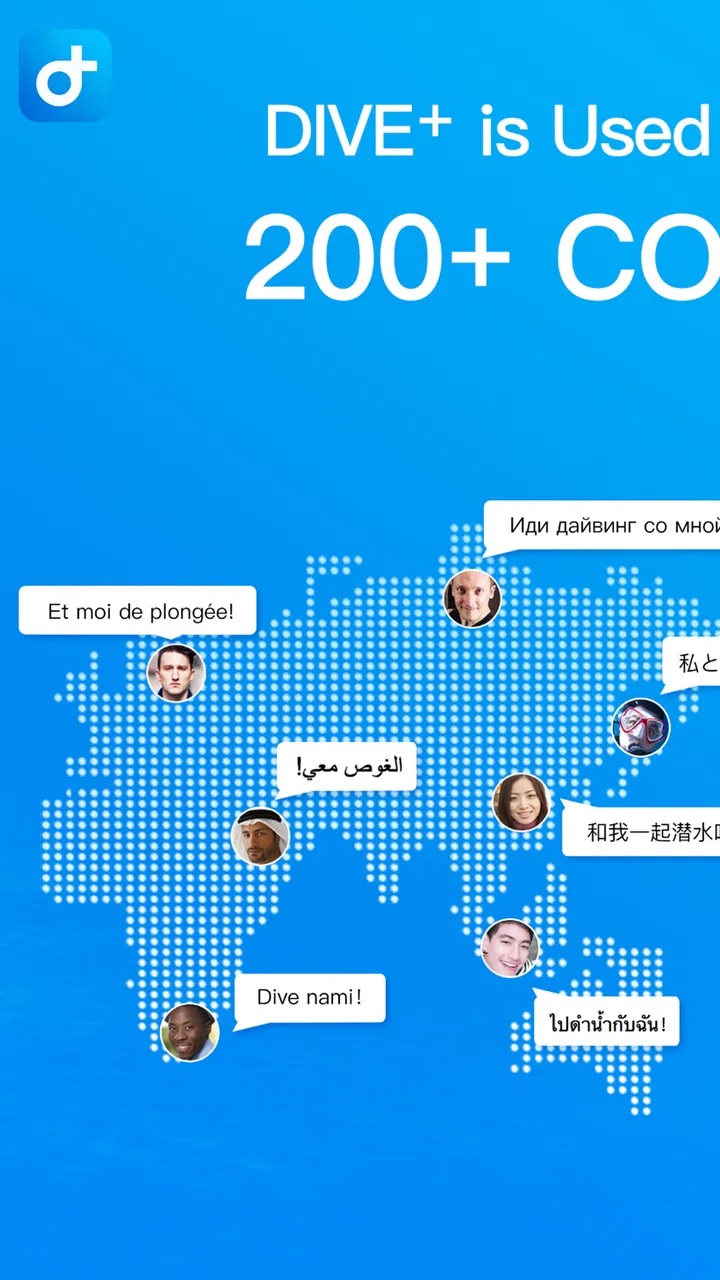
Dive+ is a social and diving-focused app created for scuba divers, freedivers, snorkeling enthusiasts, instructors, and people interested in underwater exploration. It combines community features with tools and information related to diving, allowing users to share experiences, discover underwater content, connect with other divers, and keep up with dive-related activities. It can be useful for both beginners and experienced divers, although new divers should always rely on certified training for safety guidance.
02Can Dive+ help me plan or record my dives?
Dive+ may provide useful features for organizing, documenting, and sharing diving experiences, depending on the version of the app and the device being used. Users can typically explore dive-related information, save memories, and interact with a community of underwater enthusiasts. However, it should not be treated as a replacement for a certified dive computer, official dive logbook, professional briefing, or local safety recommendations. Always verify conditions and equipment independently before entering the water.
03Do I need diving experience to use Dive+?
No, you do not necessarily need previous diving experience to use Dive+. The community content can be interesting for beginners who want to learn more about equipment, destinations, marine life, and the diving lifestyle. Nevertheless, reading posts or watching underwater content does not qualify anyone to dive independently. Beginners should complete an approved training course, follow instructor advice, and use suitable equipment before attempting scuba diving or freediving.
04Does Dive+ require an internet connection, and is it free to download?
Dive+ can generally be downloaded free of charge, but some features, content, or services may depend on the app’s current subscription model, in-app purchases, or regional availability. An internet connection is normally needed for community posts, account functions, media uploads, and updated information. Certain saved content may remain accessible offline, but users should not assume that every feature works without connectivity. Check the Google Play Store or Apple App Store listing for current pricing and requirements.
05Is Dive+ safe to use, and how should I protect my privacy?
Dive+ is designed as a community platform, so users should review its privacy policy and account settings before sharing personal information, photographs, location details, or dive plans. Avoid publishing sensitive information such as your exact home address, travel schedule, or real-time location. Community advice can be helpful, but it may come from users with different levels of experience and should be verified through certified instructors, recognized diving organizations, and local authorities before being used for safety-critical decisions.
Pros
- Detailed dive logs help track depth
- duration
- and personal progress.
- Community features make it easy to share underwater photos and experiences.
- Supports underwater photography with useful image enhancement tools.
- Dive location data can help users discover new spots and plan future trips.
- The interface is visually appealing and easy to explore for beginners.
Cons
- Some advanced features may require a premium subscription.
- User-generated location information may vary in accuracy and completeness.
- The app can consume considerable storage when saving photos and dive records.
- Community activity may be limited in less popular diving regions.
- Editing and uploading large underwater photos can be slow on older devices.

Dive+ : Diving Community
Gallery